
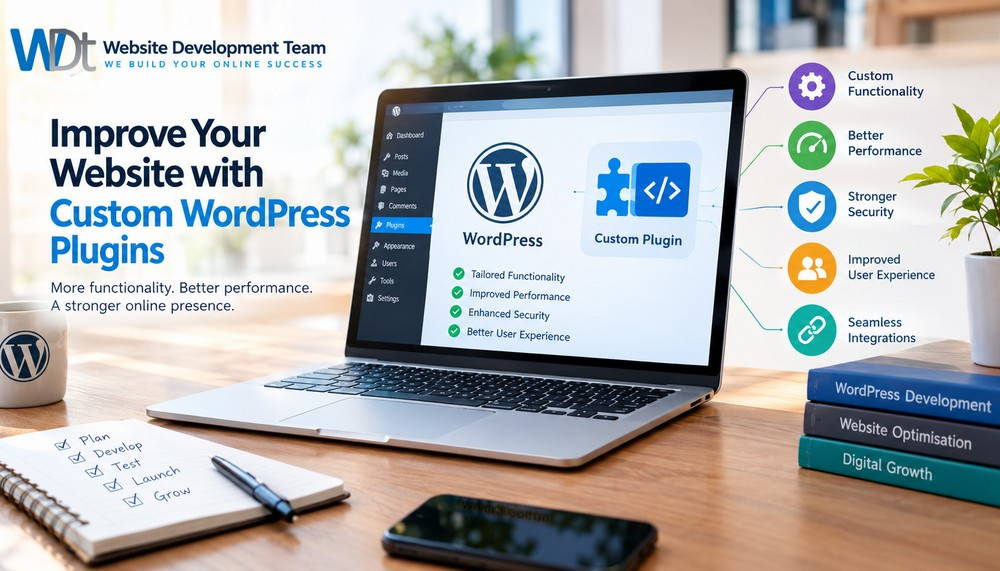
Improve Your Website with Custom WordPress Plugins
A professional website should do more than look attractive. It should help your business attract customers, generate enquiries, improve the user experience and operate efficiently. WordPress is a flexible website platform, but sometimes standard themes and ready-made plugins cannot provide all the functionality a business needs.
This is where custom WordPress plugins can make a difference. A custom plugin allows you to add specific features to your website, streamline business processes and create a more tailored experience for your visitors.
Whether you operate a small business, an online store or a service-based company, the right WordPress functionality can help your website work harder for your business.
What Are Custom WordPress Plugins?
WordPress plugins are software components that extend the functionality of a WordPress website. They can introduce new features without requiring changes to WordPress core files.
A custom WordPress plugin is developed to meet the specific requirements of a website or business. Instead of adapting your business processes to fit a generic plugin, you can build functionality around the way your business operates.
Examples of custom WordPress plugins include:
- Advanced contact forms that send enquiries to the correct department.
- Automated quotation request systems for service businesses.
- Customer booking and appointment management tools.
- Product configurators for specialised products.
- Integration with customer relationship management (CRM) systems.
- Custom reporting dashboards and business management features.
- Automated notifications and lead management tools.
According to the official WordPress Plugin Developer Handbook, plugins provide a structured way to extend WordPress functionality. This makes them useful for businesses that need features beyond those included in a standard website.
-
Add Functionality That Matches Your Business
Every business has different requirements. A plumbing company may need an emergency service request form, while a property management business may require a tenant maintenance portal.
Installing several generic plugins might provide some of these features. However, they may not work together as efficiently as expected.
Custom WordPress plugin development allows you to create functionality that addresses your actual business needs.
For example, a home renovation company could use a custom quotation plugin that allows visitors to select a service, enter property details, upload photographs and submit a request. The information could then be organised for the team responsible for preparing quotations.
A well-designed system can reduce manual administration and make it easier to respond to prospective customers.
The objective is not to add as many features as possible. It is to identify the features that solve genuine problems and improve the overall performance of your website.
-
Improve Website Performance and Efficiency
Website speed affects the experience visitors have when browsing your pages. Slow-loading websites can frustrate users and make it harder for them to complete important actions.
Although custom plugins are not automatically faster than existing plugins, carefully developed solutions can avoid unnecessary features and code.
For example, a business might be using multiple plugins to manage a relatively simple enquiry process. A properly designed custom solution could combine the required functionality into a more streamlined workflow.
Good plugin development should include:
- Loading scripts and styles only when required.
- Avoiding unnecessary database queries.
- Using efficient code and appropriate caching.
- Reducing duplicate functionality.
- Testing performance on desktop and mobile devices.
- Checking compatibility with the existing theme and plugins.
Performance improvements should always be measured rather than assumed. Website speed depends on several factors, including hosting, images, the theme, the database and other installed software.
If your website is already slow, consider a wider website performance optimisation assessment before deciding whether a custom plugin is the right solution.
-
Strengthen Your Website’s Search Engine Optimisation
Search engine optimisation (SEO) helps search engines understand your content and helps potential customers discover your business online.
Custom WordPress plugins can support SEO by improving the functionality and structure of a website. For example, a suitable plugin might help manage structured data for specific content types, create internal navigation features or connect website forms to lead tracking systems.
A custom solution may also support business-specific landing pages, searchable service directories or structured listings that improve how visitors navigate a website.
However, a custom plugin does not automatically improve Google rankings. Search visibility also depends on content quality, search intent, technical accessibility, website performance, competition and other ranking factors.
For the best results, combine useful website functionality with a clear content strategy.
Publish informative service pages and blog articles that answer customers’ questions. Link related pages together using descriptive anchor text, and ensure that important content can be accessed by search engines.
For example, a business offering WordPress development could publish supporting articles about website maintenance, website speed, plugin development and website security. These articles can link naturally to the relevant service pages.
-
Improve Website Security and Control
Security should be considered whenever you add new functionality to a WordPress website.
Custom plugins must be developed carefully to protect website data and prevent common vulnerabilities. This includes validating user input, sanitising stored data, escaping output and checking permissions before allowing sensitive actions.
For example, a custom customer portal should ensure that users can only access information they are authorised to view. A quotation form should handle submitted information securely and avoid exposing private customer details.
Professional plugin development should also consider:
- Secure handling of form submissions.
- Appropriate user permissions and access controls.
- Protection against common web application vulnerabilities.
- Compatibility with supported WordPress and PHP versions.
- Regular testing and maintenance.
- Secure integration with external services.
A custom plugin is not inherently more secure than a reputable existing plugin. Its security depends on the quality of the code, testing and ongoing maintenance.
The official WordPress security guidance provides useful information about maintaining a secure WordPress installation.
Keep WordPress core, themes and plugins updated, maintain reliable backups and review access permissions regularly.
-
Connect Your Website to Other Business Systems
Many businesses use several digital tools to manage customers, sales, appointments and communication.
When these systems do not communicate effectively, staff may need to copy information manually between platforms. This takes time and can lead to errors.
Custom WordPress plugins can help connect your website with external services through APIs and other supported integration methods.
Depending on the systems involved, a custom integration could:
- Send new enquiries to a CRM.
- Synchronise product information with another platform.
- Send booking details to a scheduling system.
- Notify staff when a customer submits a request.
- Transfer order information to an accounting or inventory system.
- Create reports based on website activity.
Consider a company receiving dozens of enquiries each week. A custom integration could send each enquiry to the correct team, record the customer’s details and trigger an acknowledgement email.
This can improve response times and reduce repetitive administration.
Before developing an integration, check whether an existing plugin or the external service’s native integration already provides the required functionality. A custom solution is most valuable when existing options cannot meet your requirements reliably.
-
Create a Better Experience for Website Visitors
Your website should make it easy for visitors to find information and take action.
Custom WordPress plugins can improve the user experience by providing interactive tools that are relevant to your audience.
A landscaping business, for example, might offer an online project enquiry tool where visitors select a service, enter the size of their garden and provide their location. A web design company could create a project brief form that collects a client’s budget, preferred features and expected completion date.
Other useful features include:
- Advanced service filters.
- Custom search functionality.
- Interactive calculators.
- Customer account areas.
- Appointment scheduling.
- Frequently asked questions with structured navigation.
- Multi-step enquiry forms.
These features should be designed for mobile users as well as desktop visitors. Forms should be easy to complete, instructions should be clear, and unnecessary fields should be avoided.
Measure results through form completion rates, enquiries and other meaningful conversions. This helps you determine whether the added functionality is actually improving the customer journey.
-
Reduce Dependence on Unnecessary Plugins
WordPress offers thousands of ready-made plugins, many of which are excellent solutions for common requirements.
However, installing plugins without a clear purpose can create maintenance challenges. Different plugins may overlap, introduce compatibility issues or require separate configuration and updates.
Custom WordPress plugin development can be useful when a website needs a specific feature that is not adequately supported by existing solutions.
The best approach is to review your current setup before commissioning new development.
Identify duplicate functionality, unused plugins and features that are causing problems. Compare suitable existing solutions with the cost and maintenance requirements of a custom plugin.
A single custom plugin is not always better than several established plugins. The right choice depends on the complexity of the feature, compatibility, security, performance and long-term support.
-
Make Your Website Easier to Maintain as Your Business Grows
Your website requirements may change as your business expands.
You might introduce new services, add an online booking system, expand your product catalogue or begin serving customers in additional locations.
A well-planned custom WordPress plugin can be developed with future requirements in mind. Its functionality can be organised into manageable components, making it easier to maintain and extend when necessary.
Good development practices include clear documentation, version control, testing and a defined update process.
It is also important to keep custom functionality separate from WordPress core files and avoid unnecessary modifications to theme files. This helps reduce the risk of losing functionality during routine updates.
Before launching a custom plugin, test it on a staging website where possible. Confirm that existing features still work, check important user journeys and keep a recent backup available.
How to Decide Whether You Need a Custom WordPress Plugin
Not every website needs custom development. An existing plugin may already provide everything you require.
Consider custom development when your website needs a specialised feature, an integration that is not available through existing tools or a workflow that cannot be managed efficiently with your current setup.
Before starting, define the problem you want to solve, the features you need and the results you expect. Request a clear development scope that covers testing, compatibility, security, documentation and ongoing support.
You should also understand the costs involved. The total cost may include initial development, integration work, testing, hosting requirements, updates and future enhancements.
A clear plan helps you make a more informed decision and reduces the likelihood of paying for features your business does not need.
Improve Your WordPress Website with Website Development Team
Your website should support your business goals, not create unnecessary work.
Custom WordPress plugins can provide specialised functionality, improve business workflows and create a more useful experience for your customers. When planned and developed correctly, they can help turn a standard WordPress website into a more effective business tool.
Website Development Team can help you assess your website requirements and identify practical opportunities for improvement.
Whether you need a specialised enquiry form, a business system integration, custom functionality or broader website development support, start by identifying the problem you want to solve.
Ready to improve your website? Visit Website Development Team to discuss your website requirements and explore the right solution for your business.
Frequently Asked Questions About Custom WordPress Plugins
What is a custom WordPress plugin?
A custom WordPress plugin is a piece of software developed to add specific functionality to a WordPress website. It can provide features such as advanced forms, booking systems, integrations and specialised business tools.
Are custom WordPress plugins better than ready-made plugins?
Not always. Ready-made plugins are often suitable for common requirements. Custom plugins are useful when existing solutions cannot provide the required functionality or when a tailored workflow is needed.
Can custom WordPress plugins improve SEO?
They can support technical SEO and website usability through appropriate functionality. However, rankings are not guaranteed. Content quality, technical accessibility, performance and other SEO factors remain important.
Do custom WordPress plugins affect website speed?
They can affect speed, depending on how they are developed and used. Efficient code and limited unnecessary processing can help, but performance should be tested on the actual website.
Do custom WordPress plugins need maintenance?
Yes. Custom plugins should be tested and maintained as WordPress, PHP and connected services change. Regular backups, compatibility checks and security reviews are important.
How do I know whether my business needs a custom plugin?
Start by identifying a specific problem that your current website cannot solve efficiently. Compare existing plugins and integrations before deciding whether custom development is justified.
Website design, SEO
Ecommerce Websites
Why Your Business Needs a Website
Contact Numbers
Web development company Randburg
Cel: 082 463 1803
Tel: 011 791 3609